HomeDocsComponentsBlocksChartsThemes
Introduction
  • Introduction
  • Installation
  • Themes
  • Artwork
  • llms.txt
Components
  • Accordion
  • Alert
  • Alert Dialog
  • Amount
  • Aspect Ratio
  • Audio Player
  • Avatar
  • Avatar Upload
  • Badge
  • Banner
  • Breadcrumb
  • Button
  • Button Group
  • Calendar
  • Card
  • Carousel
  • Chart
  • Checkbox
  • Code Block
  • Collapsible
  • Color Picker
  • Combobox
  • Command
  • Context Menu
  • Copy Button
  • Countdown
  • Data Grid
  • Data Table
  • Date Picker
  • Date Range Picker
  • Description List
  • Device Mockup
  • Dialog
  • Direction
  • Dot Loader
  • Drawer
  • Dropdown Menu
  • Empty
  • Field
  • File Upload
  • Hover Card
  • Icon Tile
  • Input
  • Input Group
  • Input OTP
  • Item
  • Kanban
  • Kbd
  • Label
  • Marquee
  • Menubar
  • Meter
  • Multi Select
  • Native Select
  • Navigation Menu
  • Number Field
  • Pagination
  • Password Strength
  • Phone Input
  • Popover
  • Progress
  • Progress Circle
  • Radio Group
  • Rating
  • Resizable
  • Responsive Dialog
  • Rich Text Editor
  • Scroll Area
  • Segmented Control
  • Select
  • Separator
  • Sheet
  • Sidebar
  • Signature
  • Skeleton
  • Slider
  • Sortable
  • Spinner
  • Stat
  • Stepper
  • Switch
  • Table
  • Tabs
  • Tag Input
  • Terminal
  • Textarea
  • Time Field
  • Timeline
  • Toast
  • Toggle
  • Toggle Group
  • Tooltip
  • Tree
  • Typography
  • Video Player
  • Window Mockup
AI
  • Message Scroller
  • Message
  • Bubble
  • Marker
  • Attachment
  • Questionnaire
  • Composer
  • Reasoning
  • Tool Call
  • Approval Card
  • Citations
Blocks
  • Airtable
  • Airtable Kanban
  • ClickUp List
  • ClickUp Kanban
  • Repeatable Group
  • Command Palette
  • Sign In and Sign Up
  • Availability Scheduler
  • AI Chat
  • Action Bar
  • Notion
  • Banking
  • Lineup Builder
  • Sports Score
  • Strava
  • Sheets
  • Notices
  • Settings
  • Billing
Templates
  • Sign In Page
  • Upload Page
  • Agreement Sign
  • Email
  • Email Composer
  • Share Dialog
  • Integrations
Utilities
  • motion
  • sounds
  • scroll-fade
  • shimmer
Another UI. Built on shadcn/ui with Phosphor icons.

Integrations

PreviousNext

An onboarding step to connect the tools someone already uses, with a category filter, search, sort, a switch per tool and their logos drifting over a painting.

Switch a tool on and its logo lights up, open one for its details, or filter, search and sort.

Full page

Add integrations

Connect your favorite tools to supercharge your workflow.

  • Cursor
    CursorNew

    The AI code editor that understands your whole codebase.

    cursor.com

  • ClaudeNew

    Claude helps you research, write and ship with context you can trust.

    claude.ai

  • ArcNew

    A browser that keeps your tabs, spaces and notes tidy for you.

    arc.net

  • Linear
    Linear

    Plan, track and ship product work in one fast, focused workspace.

    linear.app

  • Replit

    Build, run and deploy apps straight from the browser with an AI teammate.

    replit.com

  • Notion
    Notion

    Notion brings your docs, wikis and projects into one connected space.

    notion.so

  • Framer
    Framer

    Design and publish production websites without writing a line of code.

    framer.com

  • Descript

    Edit video and podcasts as easily as you edit a text document.

    descript.com

  • Neon

    Neon is serverless Postgres with instant branching for every environment.

    neon.tech

  • Slack

    Send updates to the channels your team already reads.

    slack.com

  • Figma

    Bring frames and prototypes in, and keep them in sync as they change.

    figma.com

  • Sketch

    Share Sketch documents and hand off designs with every detail.

    sketch.com

  • Make
    Make

    Build automations visually and connect them to everything else.

    make.com

  • GitHub
    GitHub

    Link pull requests and commits to the work they belong to.

    github.com

  • Vercel
    Vercel

    See previews and deploy status next to each change.

    vercel.com

  • Discord

    Post updates and alerts to your community server.

    discord.com

  • Loom

    Record a quick video and drop it right where the work is.

    loom.com

  • Raycast

    Search, create and open anything from your keyboard.

    raycast.com

  • Zapier
    Zapier

    Trigger zaps from new items and send results back in.

    zapier.com

  • Asana

    Plan projects and hand off tasks across every team.

    asana.com

  • Trello
    Trello

    Move cards across boards as work changes hands.

    trello.com

  • Jira
    Jira

    Track issues and sprints for software teams of any size.

    atlassian.com/jira

  • Confluence
    Confluence

    Keep specs, notes and decisions in one shared wiki.

    atlassian.com/confluence

  • ClickUp
    ClickUp

    Tasks, docs and goals in one place for the whole team.

    clickup.com

  • Airtable
    Airtable

    Turn spreadsheets into apps your team can build on.

    airtable.com

  • Dropbox

    Sync files and share folders with anyone.

    dropbox.com

  • Google Drive

    Attach files and folders straight from Drive.

    drive.google.com

  • Gmail

    Turn emails into tasks and send replies from here.

    gmail.com

  • Google Calendar

    See deadlines and meetings side by side.

    calendar.google.com

  • Zoom

    Start a call from any task and save the recording.

    zoom.us

  • Microsoft Teams

    Share updates and get alerts in your Teams channels.

    microsoft.com/teams

  • Intercom
    Intercom

    Turn customer conversations into tracked work.

    intercom.com

  • HubSpot
    HubSpot

    Sync contacts and deals with your CRM.

    hubspot.com

  • Salesforce

    Link accounts and opportunities to the work behind them.

    salesforce.com

  • Zendesk
    Zendesk

    Escalate tickets and follow them through to a fix.

    zendesk.com

  • Shopify

    Follow orders, products and stock from your store.

    shopify.com

  • Stripe

    See payments, payouts and failed charges as they happen.

    stripe.com

  • PayPal

    Match payments to invoices automatically.

    paypal.com

  • QuickBooks
    QuickBooks

    Send invoices and expenses to your books.

    quickbooks.intuit.com

  • Xero
    Xero

    Keep your accounts in step with every sale.

    xero.com

  • MailChimp
    Mailchimp

    Grow your lists and send campaigns to the right people.

    mailchimp.com

  • Calendly

    Book meetings without the back and forth.

    calendly.com

  • Typeform
    Typeform

    Collect answers with forms people enjoy filling in.

    typeform.com

  • Webflow

    Publish content to your site from one place.

    webflow.com

  • Supabase

    Postgres, auth and storage with an instant API.

    supabase.com

  • Firebase

    Build and run apps on Google's backend.

    firebase.google.com

  • MongoDB

    Query documents at any scale with a flexible schema.

    mongodb.com

  • Docker

    Build and ship containers the same way everywhere.

    docker.com

  • GitLab

    Merge requests and pipelines linked to every issue.

    gitlab.com

  • Sentry
    Sentry

    Catch errors and turn them into issues automatically.

    sentry.io

  • Cloudflare

    Deploy to the edge and watch traffic in real time.

    cloudflare.com

  • Netlify

    Preview every branch and deploy with a push.

    netlify.com

  • Perplexity
    Perplexity

    Answers with sources, right where you are working.

    perplexity.ai

  • Miro
    Miro

    Bring boards and sticky notes into your projects.

    miro.com

  • Behance
    Behance

    Show finished work and share case studies with clients.

    behance.net

  • Dribbble

    Share shots and find inspiration from designers.

    dribbble.com

  • WhatsApp

    Message customers where they already are.

    whatsapp.com

  • Telegram

    Get alerts and updates in any chat.

    telegram.org

  • Created with Fabric.js 3.6.6
    Todoist

    Capture to dos and see them next to your projects.

    todoist.com

  • Obsidian

    Link your notes to the work they are about.

    obsidian.md

  • 1Password

    Share secrets with your team without pasting them.

    1password.com

  • Spotify

    Share a focus playlist with the team.

    spotify.com

  • Grammarly
    Grammarly

    Check writing for clarity and tone as you type.

    grammarly.com

CursorZapierGmailStripeFirebaseBehanceCursorZapierGmailStripeFirebaseBehanceCursor
FigmaAsanaGoogle CalendarPayPalMongoDBDribbbleFigmaAsanaGoogle CalendarPayPalMongoDBDribbbleFigma
ArcSketchTrelloZoomQuickBooksDockerWhatsAppArcSketchTrelloZoomQuickBooksDockerWhatsAppArcSketch
LinearMakeJiraXeroGitLabTelegramLinearMakeJiraXeroGitLabTelegramLinearMake
GitHubConfluenceIntercomMailChimpSentryTodoistGitHubConfluenceIntercomMailChimpSentryTodoistGitHub
NotionVercelClickUpHubSpotCalendlyCloudflareObsidianNotionVercelClickUpHubSpotCalendlyCloudflareObsidianNotionVercel
FramerDiscordAirtableTypeformNetlify1PasswordFramerDiscordAirtableTypeformNetlify1PasswordFramerDiscord
LoomDropboxZendeskWebflowPerplexitySpotifyLoomDropboxZendeskWebflowPerplexitySpotifyLoom
RaycastGoogle DriveShopifySupabaseMiroGrammarlyRaycastGoogle DriveShopifySupabaseMiroGrammarlyRaycast
3 of 63 connectedCursor, Linear, Replit
CursorLinear
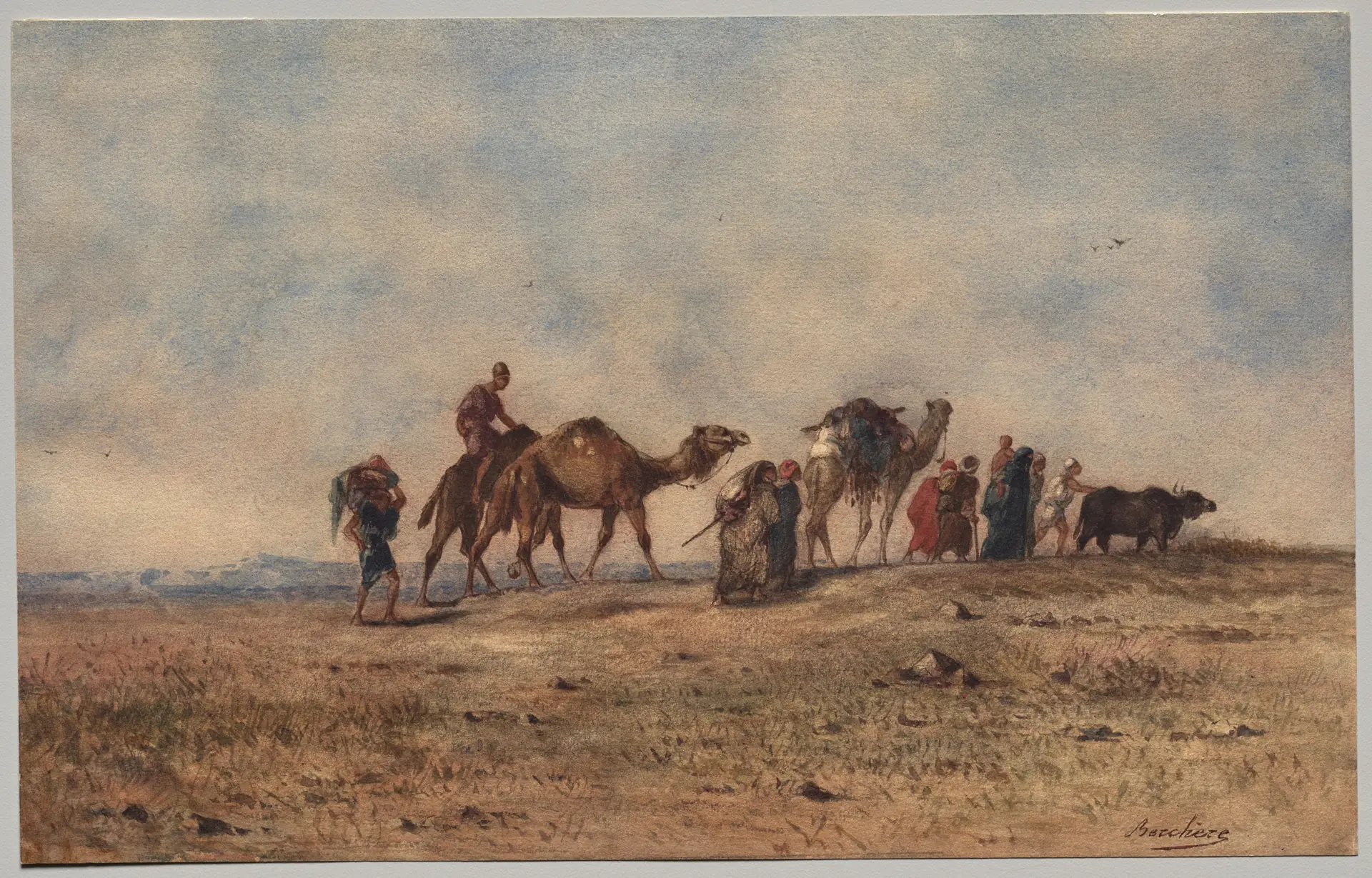
Sunny Autumn Day, George Inness, 1892

Installation#

pnpm dlx shadcn@latest add https://anotherui.dev/r/integrations.json

Features#

  • One toolbar row. The category filter, search and the sort menu sit together on every screen. When the panel is wide enough for every category they are tabs, and below that they are a menu.
  • A switch per tool. Connected rows are tinted. While onToggle runs the switch waits with a spinner, and if it fails the switch turns back and a toast says so.
  • Details. The caret opens what the tool can do once connected, its category and website, with Connect or Disconnect. It is a dialog on desktop and a drawer on phones.
  • Sort. Recent keeps your order, Name sorts A to Z and Connected first lifts the switched on tools to the top.
  • Showcase. On wide screens a public domain painting sits to the right of the list with the same logos drifting over it in columns of glass tiles, built with Marquee. A connected tool turns into a solid tile in full colour, hovering a row lifts its tile, and a glass Card at the top counts what is connected. Pass art to change the painting.
  • 63 tools. The sample list covers developer, design, communication, productivity, data, sales, payments and browser tools, so the columns rarely repeat.
  • Brand marks. Every logo comes from theSVG, in mono where the brand is black so it follows light and dark.

Usage#

import Linear from "@thesvg/react/linear"
import { IntegrationsPage } from "@/components/blocks/integrations"
 
<IntegrationsPage
  integrations={[
    {
      id: "linear",
      name: "Linear",
      domain: "linear.app",
      description: "Plan, track and ship product work.",
      category: "productivity",
      logo: <Linear variant="mono" aria-hidden />,
      enabled: true,
    },
  ]}
  onToggle={(id, enabled) => (enabled ? connect(id) : disconnect(id))}
  onSkip={() => router.push("/home")}
  onContinue={(ids) => saveIntegrations(ids)}
/>

Use IntegrationsPanel for the list alone, inside a settings page or a dialog.

Props#

  • title, description. The heading over the list.
  • art. The painting behind the logos, on IntegrationsPage.
  • integrations. Each has an id, name, domain, description, category, logo, and optionally glyph (a one colour mark for the glass tiles), isNew, enabled and permissions. Their order is the Recent order.
  • categories. The filter, as { id, label }. View all is always first.
  • onToggle. Runs when a switch changes. Return a promise to show a spinner, and reject it to turn the switch back.
  • onContinue. Runs with the connected ids. Continue is hidden when it is not set.
  • onSkip. Shows "I'll do this later".
  • onEnabledChange, onHover. On IntegrationsPanel, for keeping your own grid or summary in step.
Share Dialogmotion

On This Page

InstallationFeaturesUsageProps